The dream of having a private cinema is a common one, but it is often quickly followed by a feeling of deep overwhelm. Between calculating throw distances, deciphering audio channels, running cables behind walls, and managing escalating costs, it is easy to see why many people abandon the idea before they even start.
However, building a home cinema used to require hiring contractors, tearing open walls, and dedicating a pitch-black basement to the cause. Today, the technology has evolved. You can create a truly immersive cinematic experience in almost any room by focusing on three core pillars: controlling your environment, choosing the right ultra-large visual display, and pairing it with room-filling sound.
Whether you are transforming a spare bedroom or upgrading your main living space, this methodical, step-by-step approach will prevent costly mistakes and help you build a setup you will enjoy for years to come.
Key Takeaways: Your Home Cinema Checklist
If you are just starting to plan and need the crucial points at a glance, keep these rules in mind:
- Control the Light: Even the best projectors struggle against direct sunlight. Blackout blinds and dark matte wall colours are your first line of defence.
- Scale Matters: To replicate a true cinema experience, your screen needs to be 100 inches or larger.
- Consider a UST Projector: You no longer need to ceiling-mount a projector across the room. Ultra-Short Throw (UST) models sit directly beneath the screen, perfect for modern living rooms.
- Don't Skimp on the Screen: If projecting in a room with ambient light, an Ambient Light Rejecting (ALR) screen is mandatory for maintaining contrast and black levels.
- Mind the Gap: Never push your cinema seating flush against the back wall; you need space behind you for surround sound audio to work properly.
Step 1: Choose and Prepare Your Cinema Room
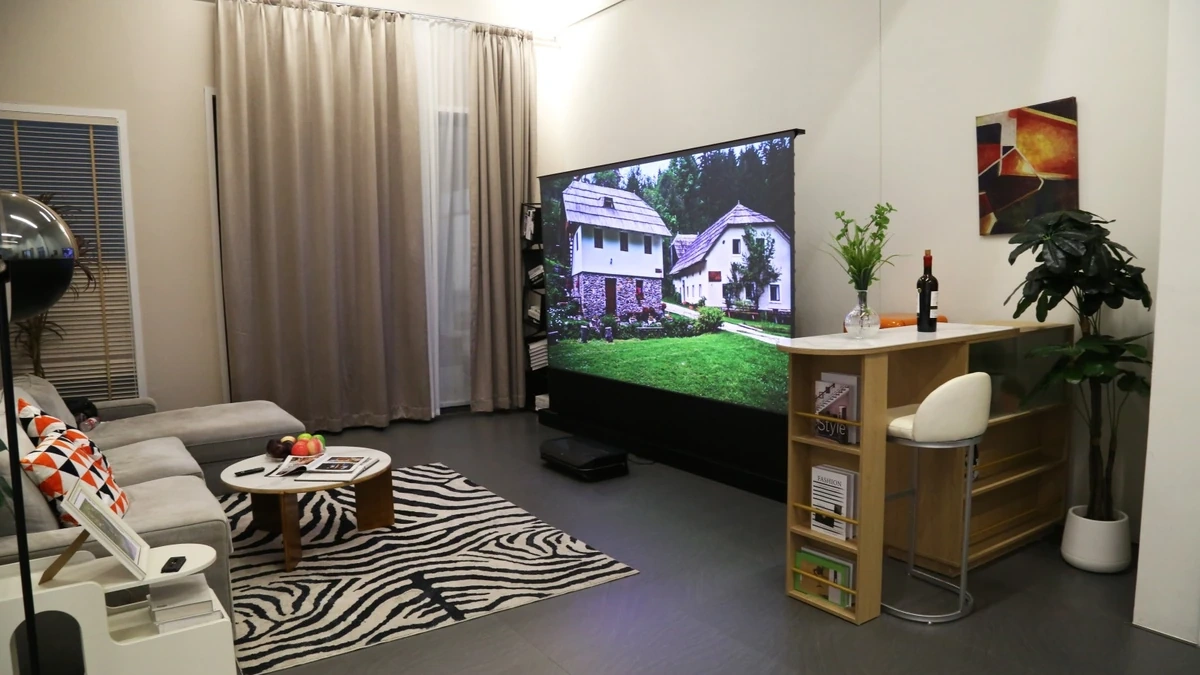
The most common mistake people make when building a home cinema is buying the equipment before preparing the physical environment. A high-end projector will look terrible in a poorly prepped room, while mid-range gear can look spectacular in a properly treated space.
Managing Ambient Light with Blackout Solutions
If your room has windows, controlling the ambient light is step one. While a standard living room doesn't need to be pitch black all the time, you must have the option to make it dark when it matters. Invest in fitted blackout blinds or heavy, light-blocking curtains. If you are building a dedicated cinema room, consider applying blackout film to the window glass to completely seal out daytime street light.
The Importance of Room Colour
Cinemas are dark for a reason. If you paint your home cinema room bright white, the light from the screen will reflect off the walls and ceiling, washing out the image and ruining the contrast.
You don't have to paint the room black, but opting for dark, matte colours—such as deep navy, charcoal, or forest green—makes a massive difference. Crucially, try to paint the ceiling a dark colour, as it is often the most reflective surface near the screen.
Basic Acoustic Treatments
You do not need to build a soundproof bunker to get great audio, but you do need to stop sound from bouncing erratically around the room. Hard floors, bare walls, and glass windows create echoes that make dialogue sound muddy. Add heavy rugs over wooden floors, use plush fabric sofas instead of leather, and consider hanging heavy curtains or basic acoustic art panels on the walls to absorb excess sound.
Step 2: Select Your Visual Centerpiece (Projectors vs. TVs)
Once the room is prepped, it is time to choose the screen. While modern televisions are incredible, they simply cannot match the scale and immersion of a projector when building a true cinema.
If you are debating which technical specs matter most for your specific space, our comprehensive projector for home guide breaks down exactly what to look for.
Why 100+ Inches is the True Cinema Standard
A cinematic experience is defined by your field of view. When you go to the cinema, the screen fills your peripheral vision, drawing you into the world of the film. Most experts agree that to replicate this at home, you need a screen size of at least 100 inches. While 100-inch televisions exist, they are incredibly heavy, difficult to install, and dominate the room as a massive black glass square when turned off.
The Ultra-Short Throw (UST) Revolution

Historically, getting a 100-inch picture meant mounting a projector to the ceiling at the back of the room and running long HDMI cables through the walls. Today, Ultra-Short Throw (UST) projectors have changed the game.
Modern UST Triple Laser projectors, such as the premium AWOL Vision Aetherion Max , solve traditional space and installation issues by sitting mere inches away from the wall on a standard TV console. Because they project steeply upwards, you get a massive 100-to-120-inch 4K image without any ceiling mounts, and nobody can accidentally walk in front of the beam and cast a shadow.
Pairing with an Ambient Light Rejecting (ALR) Screen
If you are putting your home cinema in a living room rather than a dedicated dark room, projecting onto a bare white wall will result in a faded, washed-out picture during the day. To combat this, you must pair a UST projector with a dedicated Ambient Light Rejecting (ALR) screen . ALR screens feature microscopic ridges that reflect the projector's light directly back to the viewer while deflecting overhead lighting and window glare, delivering a vivid, TV-like picture even in daytime environments.
Step 3: Design Your Audio Architecture
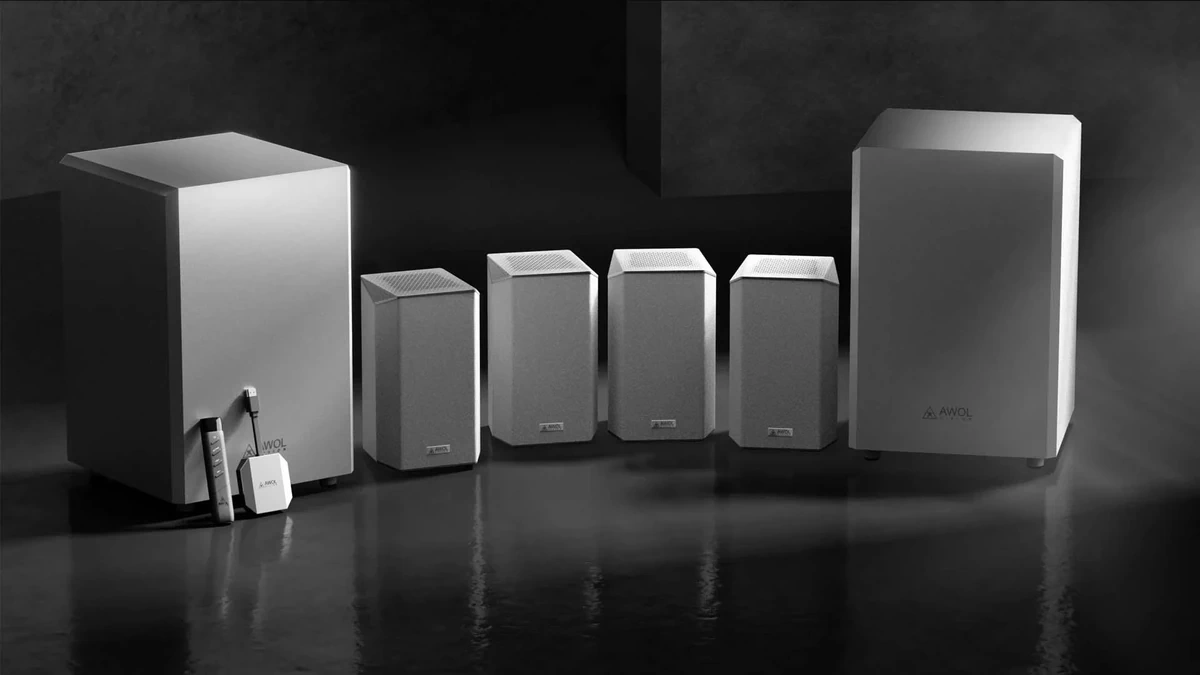
Visuals are only half of the cinema equation. Sound is what makes you jump during a thriller or feel the impact of an action sequence.
Soundbars vs. AV Receivers
- Premium Soundbars: If you want a clean, wireless, and relatively plug-and-play setup, a flagship Dolby Atmos soundbar (often bundled with a wireless subwoofer and rear speakers) is an excellent choice for a living room. It requires minimal cable management while still delivering highly immersive sound.
- AV Receivers and Separates: For a dedicated cinema room, a traditional Audio/Video (AV) Receiver paired with separate, passive speakers is the gold standard. It allows you to perfectly position individual speakers and upgrade components individually over time, offering unmatched power and audio separation.
Understanding Surround Sound and Dolby Atmos
When shopping for audio, you will see numbers like 5.1 or 7.1.4. Here is what they mean:
- The first number (e.g., 5 or 7) is the number of main speakers at ear level (front, centre, and surrounds).
- The second number (e.g., .1) is the subwoofer, which handles the deep bass.
- The third number (e.g., .2 or .4) indicates height or ceiling speakers, which are used for 3D spatial audio formats like Dolby Atmos. Atmos allows sound to move vertically, making it feel like rain is falling from above or a helicopter is flying directly over your sofa.
Step 4: Plan Your Layout, Wiring, and Seating
The final hurdle is putting it all together in a way that is comfortable and looks tidy. A little planning here prevents massive headaches later.
Calculating the Ideal Viewing Distance
If you sit too close, you will see pixels and strain your neck. If you sit too far, you lose the cinematic immersion. A widely accepted standard (based on THX recommendations) for a 4K display is to sit at a distance roughly 1.2 times the diagonal size of your screen. For a 100-inch screen, your sofa should be roughly 3 metres (around 10 feet) away from the wall.
Cable Management and Future-Proofing
Do not leave a rat's nest of cables exposed. If you cannot route cables through the drywall, use paintable trunking along the skirting boards to hide speaker wire. More importantly, always future-proof your setup by using Ultra High Speed HDMI 2.1 cables. These handle the massive data loads required for 4K video, 120Hz gaming, and uncompressed Dolby Atmos audio without dropping the signal.
Seating Placement for Optimal Viewing and Sound
When arranging your furniture, resist the urge to push the sofa completely flush against the back wall. Doing so places your ears too close to the rear wall, which ruins the acoustics and makes it impossible to place rear surround speakers properly. Pull the seating forward by at least half a metre to allow the surround sound to wrap around you naturally.
How Much Does a Home Cinema Cost? (Budgeting Guide)
The cost of a home cinema scales dramatically based on your goals and the room you are outfitting.
The Entry-Level DIY Setup (£1,000 – £2,500)
This tier usually involves a mid-range traditional long-throw 1008p or entry-level 4K projector, projecting onto a basic pull-down screen or a perfectly flat, painted white wall in a light-controlled room. Audio is typically handled by a robust mid-tier soundbar system.
The Premium "Laser TV" Living Room Approach (£3,000 – £6,000)
This is the sweet spot for modern homes. It centres around a premium 4K Ultra-Short Throw laser projector bundled with a high-end 100-inch or 120-inch ALR screen. Audio is managed by either a flagship Dolby Atmos soundbar or an entry-level AV receiver with dedicated speakers. This setup completely replaces the need for a traditional living room television.
Dedicated Bespoke Installations (£15,000+)
For a no-compromises, dedicated cinema room, costs scale quickly. This budget includes acoustic room treatments, custom-built risers for tiered seating, fiber-optic star ceilings, high-end 9.2.4 AV receiver setups, and professional installation and calibration services.
The Bottom Line: Benefits of Building Your Own Home Cinema
While building a home cinema requires careful planning and an upfront investment, the ultimate payoff changes how you consume entertainment.
You completely bypass the rising costs of cinema tickets, the expensive concessions, and the frustration of crowded theaters. You gain the ultimate luxury of pausing a blockbuster to grab a snack, watching live sports on a life-sized 120-inch scale, and experiencing next-generation video games with zero visual compromise. By controlling your lighting, upgrading to a modern laser projector, and planning your audio carefully, you can bring the true magic of the cinema directly into your own home.